
How do I create a topic?

Text Version

In this tutorial we will be posting a new topic to our SMF forum
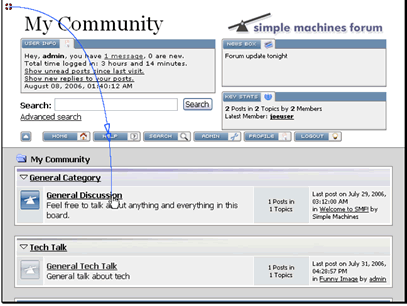
Begin by navigating to the forum you want to post in
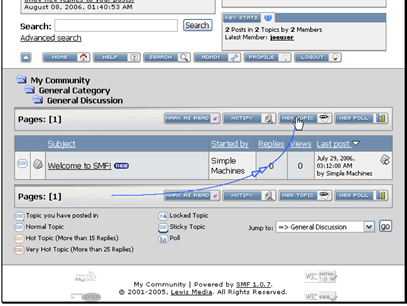
Then click the New Topic button
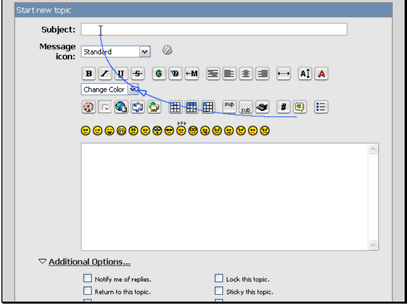
Enter a subject for your topic
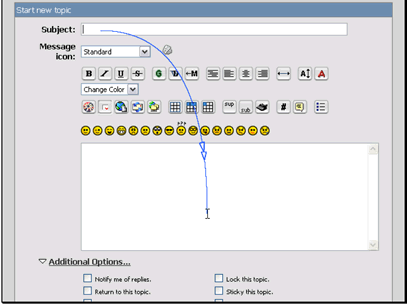
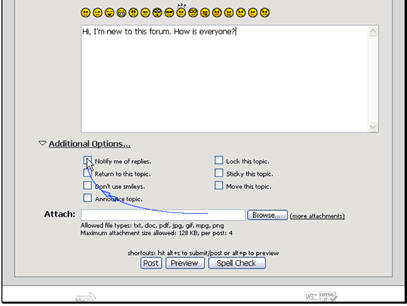
Then enter a message. You can use the available tools to modify the message
Choose additional options for the post, then click the Post button
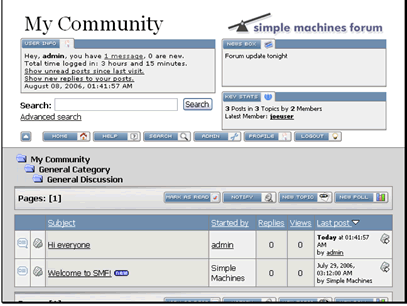
Your new topic has been created
  • 1 Users Found This Useful
Was this answer helpful?

Related Articles

How do I manage reserved names?

Text Version In this tutorial we will be manging reserved names. This allows you to keep users...

How do I reply to a topic?

Text Version In this tutorial we will be posting a reply to a topic on our SMF forumFirst...

How do I manage user bans?

Text Version In this tutorial we will be banning usersMake sure you are logged in as an admin...

How do I manage boards?

Text Version In this tutorial we will be managing the boards on our forumMake sure you are...

How do I manage packages?

Text Version In this tutorial we will be managing package installed on our SMF forumFirst make...