
How do I change the theme?

Text Version

WordPress comes with built in themes, but if you want to customize your site you will need to install a new theme and enable it for your site. This tutorial walks you through that process.

Let's begin by installing a new theme. On your cPanel home page click the File Manager button.
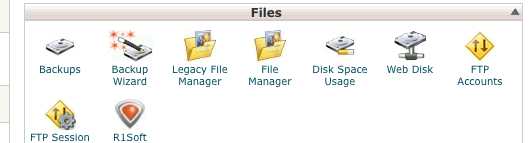
Let's begin by installing a new theme. On your cPanel home page click the File Manager button.

Navigate to the wp-content/themes directory and click the upload button.

Click the upload button.

Browse to the theme package on your computer.

Browse to the theme package on your computer.

Browse to the theme package on your computer.

Browse to the theme package on your computer.

After the upload is done go back to the file manager.

After the upload is done go back to the file manager.

Select the package and click the Extract button.

Select the package and click the Extract button.

Now we need to go to the WordPress dashboard and click the Appearance link.
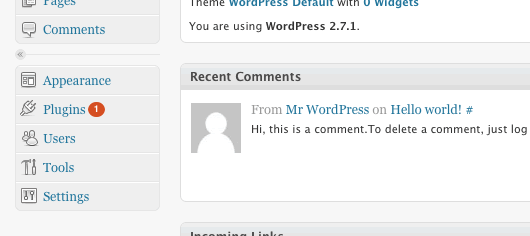
Now we need to go to the WordPress dashboard and click the Appearance link.

Click the title of the new theme.
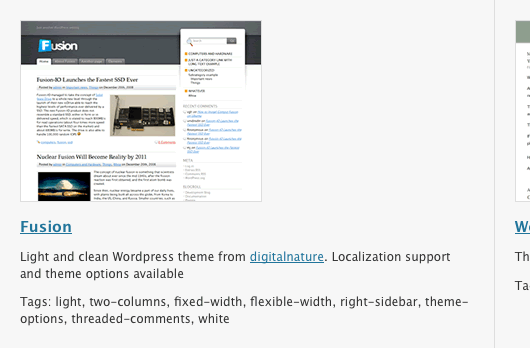
Click the title of the new theme.

You will get a preview of the design. Then click the Activate link.

You will get a preview of the design. Then click the Activate link.

When you visit your site you'll see the new theme.
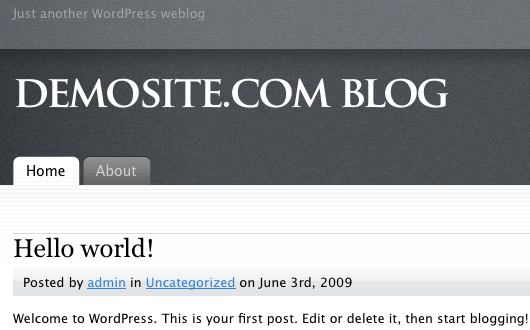
When you visit your site you'll see the new theme.

  • 1 Users Found This Useful
Was this answer helpful?

Related Articles

How do I manage the dashboard?

Text Version In this tutorial we will be exploring the new WordPress dashboard. They have...

Use .htaccess to block WordPress brute force attacks

WordPress has been targeted recently for brute force attacks where hackers use automated scripts...

How do I update my profile?

Text Version In this tutorial we will be updating a user profile in WordPress. Begin by...

How do I install WordPress?

WordPress is a very easy script to install. This tutorial will walk you through the installation....

How do I post a blog?

Text Version In this tutorial we will be posting a new blog to our site.Begin by clicking the...