
How do I manage forum news?

Text Version

In this tutorial we will be modifying the forum news
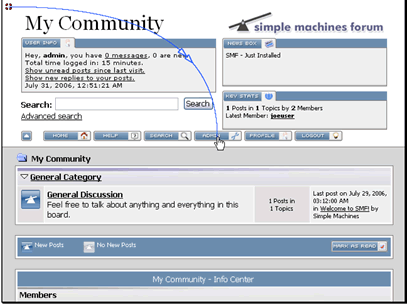
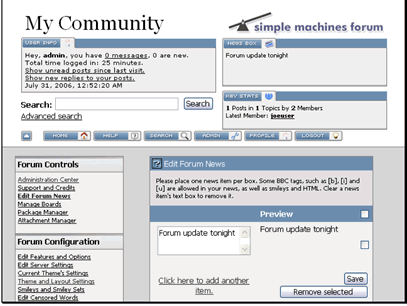
Make sure you're logged in as an admin user and click on the admin button
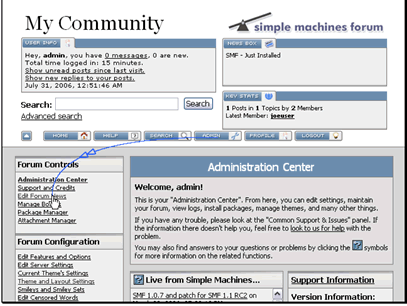
Then click Edit Forum News
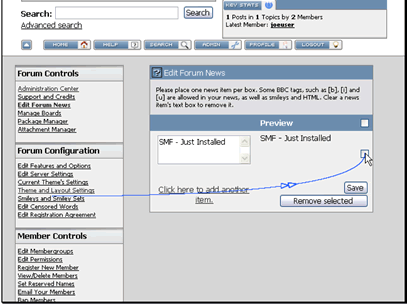
First, let's delete the current news item. Select the checkbox and click Remove selected
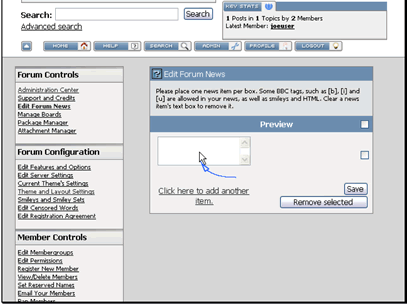
Now let's add a new news item. Type in your news item and click Save
You can see the news item here
  • 1 Users Found This Useful
Was this answer helpful?

Related Articles

How do I register on my forum?

Text Version In this tutorial we will be registering a new account on an SMF forumBegin by...

How do I manage features and options?

Text Version In this tutorial we will be exploring the Features and Options in your SMF...

How do I edit my profile?

Text Version In this tutorial we will be updating our profile in SMFClick on the Profile...

How do I backup my forum?

Text Version In this tutorial we will be backing up our SMF forumMake sure you are logged in...

How do I manage member groups?

Text Version In this tutorial we will be adding a new member group that we can then assign...