
Deleting post revisions from the WordPress database

One of the great features the WordPress added in was post revisions. Any changes made to posts are automatically saved into the database so you can roll back if you need. The one drawback of this setup is your database can become full of revisions you'll never use.

WordPress auto saves every few minutes, so if it takes you a while to put together a post you can end up with dozens of extra entries in your database. This can add up to a bigger database, and slower loading times. Fortunately, there is an easy way to fix this.

Start by logging in to cPanel and clicking on the phpMyAdmin link.
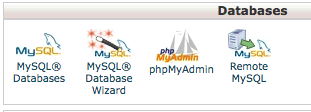


Go to your WordPress database and click the SQL tab.


Then you just need to enter the following query:

DELETE FROM wp_posts WHERE post_type = "revision";


Now your database is nice and clean.

  • 2 Users Found This Useful
Was this answer helpful?

Related Articles

How do I get Google Maps into my WordPress site?

If you need to display address information anywhere on a WordPress site, like if you have a brick...

Recovering from the dreaded "eval(gzinflate(base64_decode" attack

So you're running a WordPress site and one day you realize that your search engine traffic is...

How do I enable automatic updating for major versions in WordPress?

WordPress has added in support for automated upgrading of minor releases. This means it will...

How to change the admin color scheme in WordPress 3.8

We're big fans of the new admin layout in WordPress 3.8. One complaint we've seen going around...

Displaying the most recent posts from a single category in WordPress

Have you ever seen a site that showed the most recent post or posts from a single category? If...