
How do I manage group permissions?

Text Version

In this tutorial we will be editting the permissions of one of our groups
Begin by clicking Permissions under the Group Admin heading
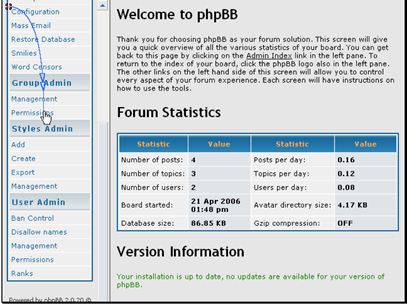
In this tutorial we will be editting the permissions of one of our groups
Begin by clicking Permissions under the Group Admin heading

Select the group to edit and click Look up Group
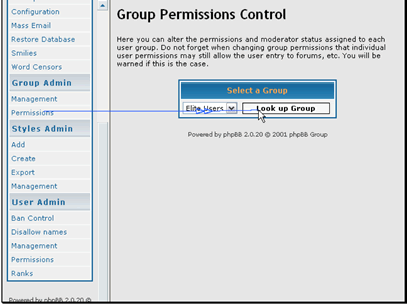
Select the group to edit and click Look up Group

Let\'s make this group moderators of Test Forum 1
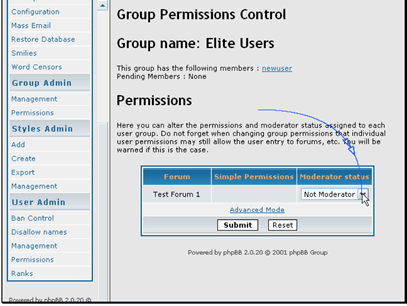
Let\'s make this group moderators of Test Forum 1

Then click Submit
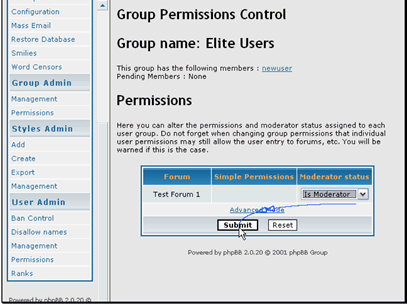
Then click Submit

Your permissions have been applied
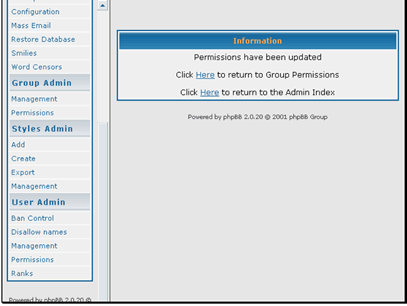
Your permissions have been applied

  • 1 Users Found This Useful
Was this answer helpful?

Related Articles

How do I edit my profile?

Text Version In this tutorial we will be updating our user profileBegin by logging in to the...

How do I configure my forum?

Text Version You shouldn't need to change these first three options unless you move the site...

How do I manage disallowed names?

Text Version In this tutorial we will be looking at disallowed usernames. This is similar to...

How do I mass email my forum users?

Text Version In this tutorial we will be sending a mass email to our usersBegin by clicking...

How do I create a topic?

Text Version In this tutorial we will be creating a new topicBegin by entering the forum you...