
How do I search my forum?

Text Version

In this tutorial we will be searching the forum. This is useful for quickly finding information.
Most forums suggest you search before asking a question, as your question may have been answered already.
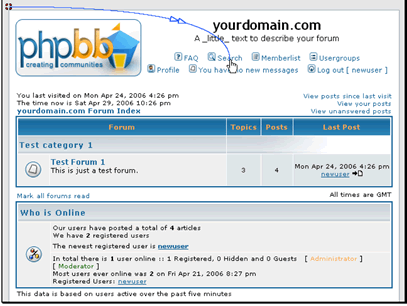
Begin by clicking on Search
In this tutorial we will be searching the forum. This is useful for quickly finding information.
Most forums suggest you search before asking a question, as your question may have been answered already.
Begin by clicking on Search

Enter the word or words you want to search for
You also have options on how you want to search, as well as who you want to search for.
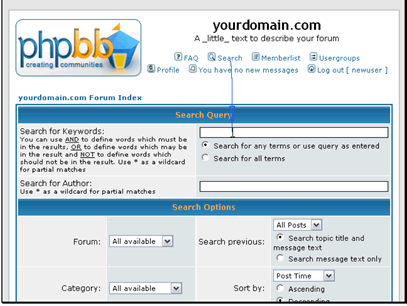
Enter the word or words you want to search for
You also have options on how you want to search, as well as who you want to search for.

You also have several other options to modify your search
When you have your search ready click Search
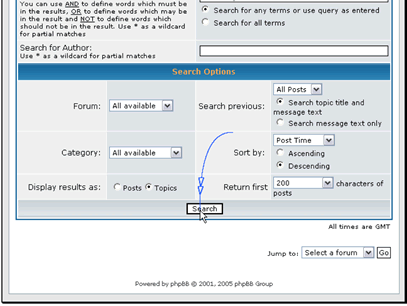
You also have several other options to modify your search
When you have your search ready click Search

Your search results will be displayed here. Click on the thread title to enter that thread
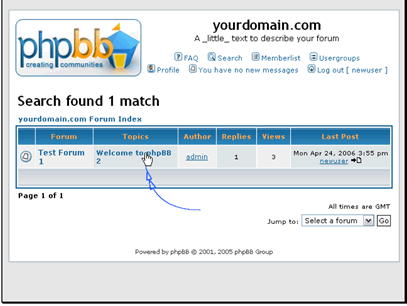
Your search results will be displayed here. Click on the thread title to enter that thread

  • 1 Users Found This Useful
Was this answer helpful?

Related Articles

How do I manage groups?

Text Version In this tutorial we will be creating a new group. This will allow us to give...

How do I add a style?

Text Version In this tutorial we will be adding a new styleThe first step is connecting to...

How do I backup my forum?

Text Version In this tutorial we will be backing up our databaseClick on Backup Database...

How do I create a topic?

Text Version In this tutorial we will be creating a new topicBegin by entering the forum you...

How do I reply to a forum post?

Text Version In this tutorial we will be posting a new reply to a topicBegin by going to the...